Daily Sudoku Together Setup Guide for Friends and Discord
Choose today’s ranked Daily Sudoku for separate solves, or set up a private Together or Race room. Follow the friend and Discord setup steps.
Want to play Sudoku with friends today? Choose the experience that fits your group. For the same dated ranked puzzle, each player can open today’s Daily Sudoku Challenge and compare results afterward. For a live shared board or a head-to-head race, start a private room at Multiplayer Sudoku and send the invite link.
Set up a Sudoku session with friends
This guide walks through the private-room setup, including a Discord group, difficulty choice, and whether to play Together or Race. The private multiplayer room gives invited players the same puzzle; it is a separate mode from today’s ranked Daily Challenge.
Start a private Sudoku room
Open the multiplayer game below, choose Together to solve one board as a team or Race to compete on identical clues, then create a private game and share its link or code. If your group wants the dated ranked puzzle instead, have everyone open Daily Sudoku separately.
Sudoku Challenges
CLEAN. SMART. ADDICTIVE.
Today's puzzle Today

Be the first to set a time today.
Prefer solo practice? Pick a difficulty to generate a fresh board instantly.
Pick the difficulty you want to race.
How do you want to play?
 00:00
00:00
 M: 0
M: 0
 81 remaining

For a short warm-up before the group game, try the 4×4 board:
4x4 Sudoku Quick Play
A bite-size Sudoku you can start in seconds.
Tap a cell, then a number 1–4 to play.
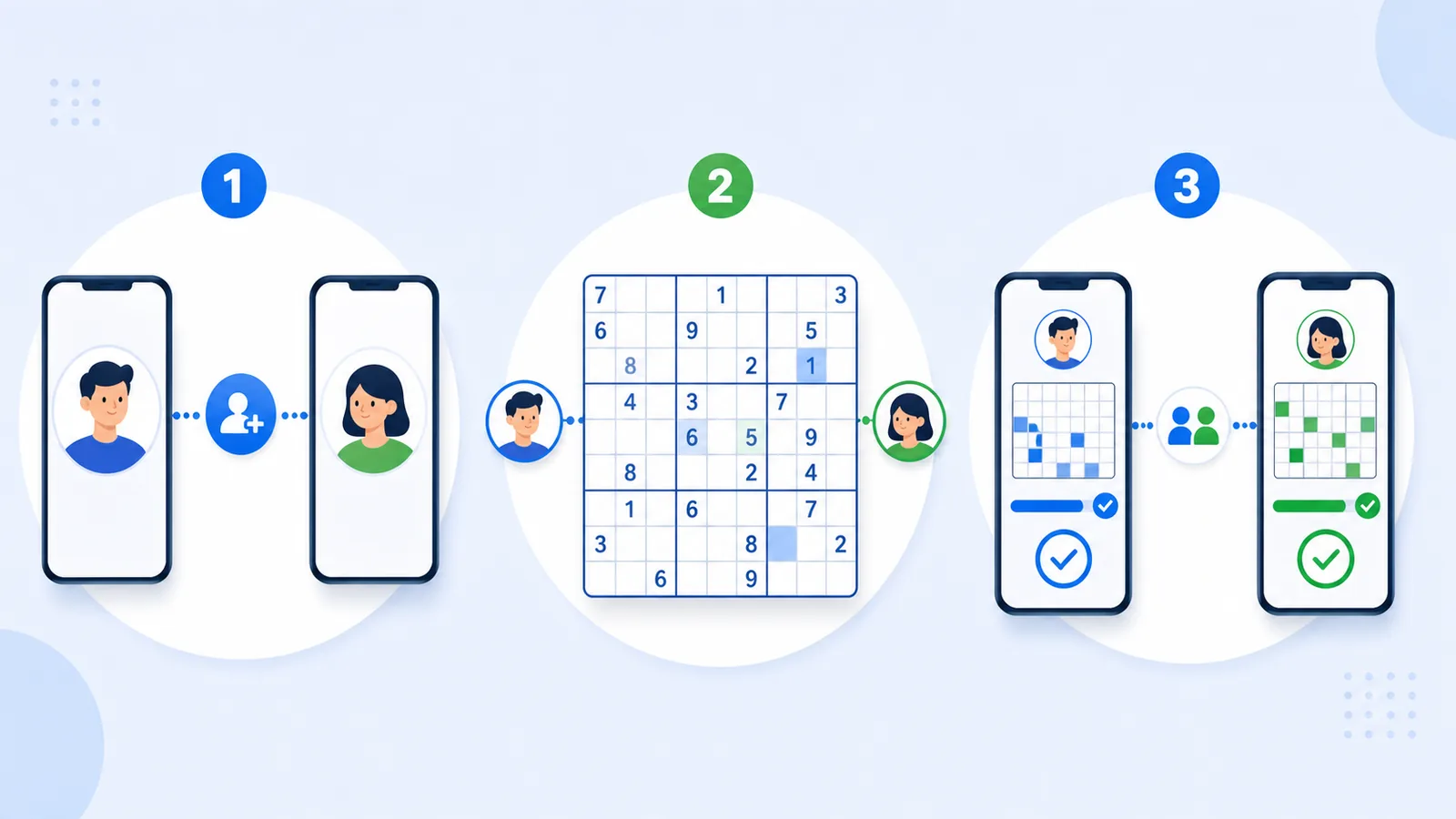
How to play together in a few steps
- Choose the format. Use the dated Daily Challenge for independent solves and a shared leaderboard, or Multiplayer Sudoku for one private session.
- For a private session, choose Together or Race. Together is cooperative; Race gives both players the same clues and compares their progress and time.
- Pick a difficulty. Easy or Medium is a comfortable first game for mixed-experience groups.
- Create the private game and send its invite link or code. Post it in a text thread or Discord channel so everyone joins the same room.
- Agree on a start. Use voice or chat for a cooperative solve, or start the race once both players are ready.
For a quick overview of both choices, see Daily Sudoku Together.
Choose a format for your group
Compare today’s ranked puzzle
Everyone opens the same dated Daily Challenge on their own device. Solve independently, then compare completion times or leaderboard results. This is the simplest daily routine when you do not need a live shared room.
Race a friend in a private room
Choose Race in Multiplayer Sudoku, invite your friend, and compete on matching clues. The room’s puzzle is a multiplayer game, not necessarily the dated ranked challenge.
Solve one board together
Choose Together when your group wants to discuss candidates and make progress on a shared live board. It suits beginners and people who care more about the conversation than a finish time.
Use Discord for the conversation
Share the private room link in Discord and use voice or text to coordinate. Keep the game open in the browser; Discord is the conversation channel, not the puzzle host.
Daily Challenge or multiplayer room?
Both let friends compare a Sudoku experience, but they work differently:
- Daily Challenge: a dated ranked puzzle each player opens separately, with times and a leaderboard to compare afterward.
- Private multiplayer: a shared live room. Choose Together for cooperative play or Race for identical clues and a speed comparison.
For more on private matches, read How to Play Multiplayer Sudoku With Friends Online or Sudoku Race With Friends.
Common problems and easy fixes
“We are not on the same puzzle”
Check that everyone opened the same dated Daily Challenge or joined the same private multiplayer invite. A Daily Challenge and a private room are separate games.
“One friend is much newer than the others”
Choose Easy or switch from Race to Together. A cooperative board gives experienced players room to explain their reasoning.
“Discord makes the setup confusing”
Share one private room link or code, then use Discord only for voice or text chat. Keep the puzzle itself in Sudoku Challenges.
“We only have a few minutes”
Agree on a short session before inviting anyone. You can also solve the ranked Daily Challenge independently and compare progress later.
Who this format is best for
- Friends who want a smarter daily break: quick, repeatable, and more memorable than scrolling.
- Remote couples or families: a low-pressure activity that works even when schedules are busy.
- Coworkers on break: a light shared challenge without the time commitment of a bigger game.
- Beginners who want social motivation: easier to stick with Sudoku when someone else is showing up too.
FAQ: playing Sudoku with friends
Can friends play today’s Daily Sudoku together?
Yes. Open the same dated Daily Challenge on separate devices and compare results. For a live shared room, start a separate Multiplayer Sudoku game.
Can we solve one board cooperatively?
Yes. Choose Together in Multiplayer Sudoku and invite a friend to the private room.
Can we race on identical clues?
Yes. Choose Race and share the private invite link or code.
Can we use Discord?
Yes. Share the room link in Discord and use its voice or text chat while the Sudoku game runs in the browser.
Start your next game
For a live cooperative board or a fair race, create a private multiplayer game and invite a friend. For a shared daily routine with separate solves, open today’s ranked Daily Challenge and compare results afterward.
More ways to play